As a data analyst, I’ve spent a lot of time testing where AI tools actually save time in day-to-day analysis work versus where they just add another step. This is part of my ongoing series reviewing subscriptions and software to help you figure out what’s worth paying for — and this one’s based on tools I use in my actual job, not just research.
Here’s an honest breakdown of the best AI tools for data analysis in 2026, what each one is genuinely good at, and where they fall short.
Disclosure: This post may contain affiliate links. If you sign up through a link, I may earn a commission at no extra cost to you. I only recommend tools I’ve actually used in real analysis work.
What Actually Matters for Data Analysis Tools
Before the list, a few things worth knowing about what separates a genuinely useful AI tool from one that just looks impressive in a demo:
- Handling real, messy data — most demos use clean sample data; real analysis work involves missing values, inconsistent formatting, and edge cases
- Explaining its reasoning — a tool that just spits out a number without showing its work isn’t trustworthy for real decisions
- Integration with tools you already use — SQL, Excel, BigQuery, Power BI — a tool that lives outside your existing workflow adds friction rather than removing it
- Accuracy over speed — a fast wrong answer is worse than a slower correct one in analysis work
With that in mind, here’s my honest take on the best AI tools for data analysis available right now. Keep these in mind as you go through this list of the best AI tools for data analysis.
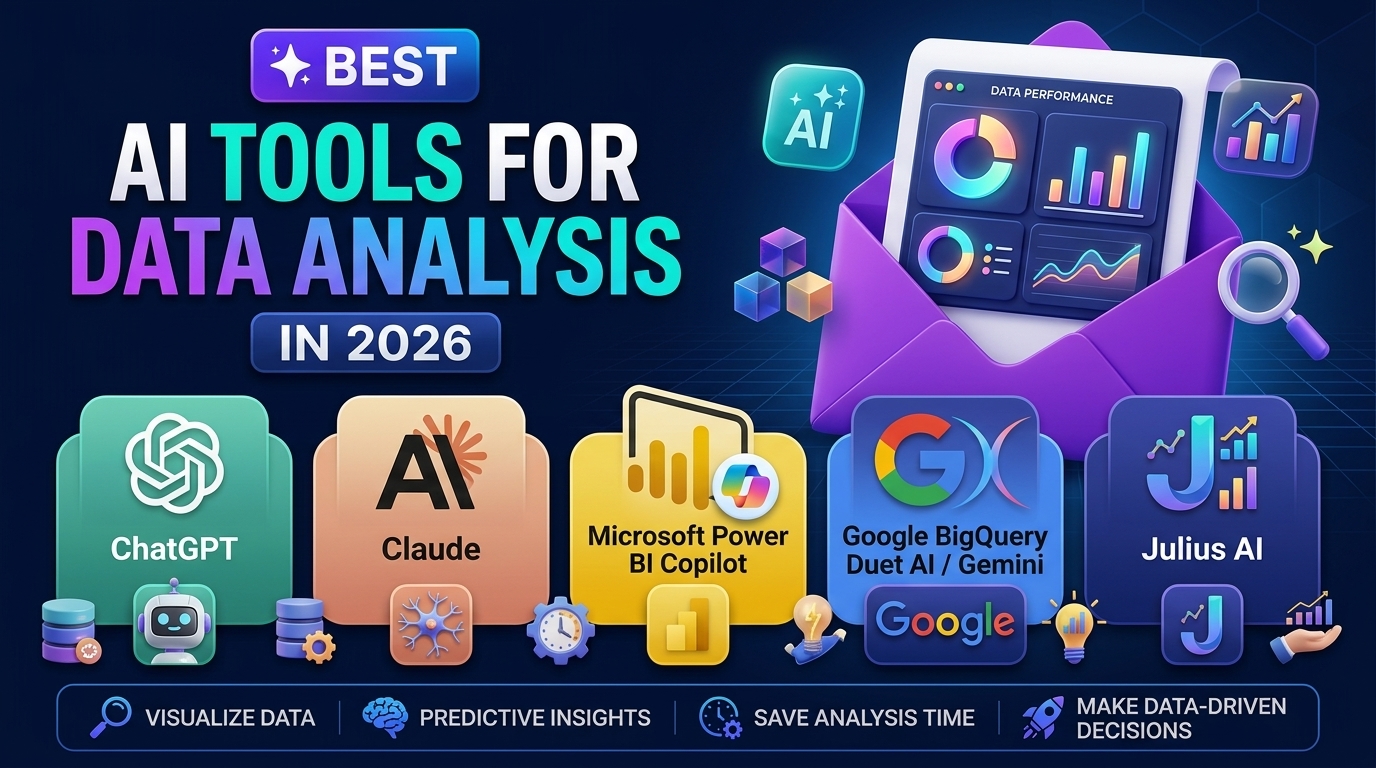
1. ChatGPT (with Code Interpreter/Advanced Data Analysis)
ChatGPT’s data analysis mode lets you upload a CSV or Excel file directly and ask questions in plain language — it writes and runs Python code behind the scenes, then shows you the output and, importantly, the code itself.
Best for: Quick exploratory analysis, generating charts, and writing Python/pandas code you can then take and run yourself Watch out for: It can misinterpret column meanings or make assumptions about your data that aren’t stated — always check the actual code it generates rather than just trusting the output. That’s the first of several strong options worth considering among the best AI tools for data analysis.
2. Claude
Claude handles longer, more complex analysis requests well, and tends to explain its reasoning more thoroughly than some alternatives when working through a dataset. It’s particularly useful when you need to walk through a multi-step analysis and understand the logic at each stage, not just get a final number.
Best for: Multi-step analysis where understanding the reasoning matters as much as the result Watch out for: Like any AI tool, verify its calculations against a known-correct method before trusting it for anything that matters
3. Microsoft Power BI Copilot
If you’re already using Power BI for dashboards and reporting, its built-in Copilot feature lets you ask questions about your data in natural language and get instant visualizations back. Since it’s built directly into a tool most data analysts already use, there’s no context-switching required.
Best for: Analysts already working in the Power BI ecosystem who want faster dashboard creation Watch out for: Only as good as the underlying data model — a poorly structured dataset will produce poor Copilot results regardless of how well you phrase your question
4. Google BigQuery’s Duet AI / Gemini in BigQuery
For SQL-heavy analysis work, BigQuery’s built-in AI assistance can generate and explain SQL queries from plain-language descriptions, which is genuinely useful when working with complex joins or when picking up someone else’s unfamiliar query structure.
Best for: SQL query generation and explanation, especially in large, complex datasets Watch out for: Generated queries should always be reviewed before running against production data — it can generate syntactically correct but logically wrong queries
5. Julius AI
Julius is built specifically for data analysis rather than being a general-purpose chatbot with data features bolted on. You upload a dataset and it handles cleaning, visualization, and statistical analysis through a conversational interface, with a stronger focus on statistical rigor than some general AI tools.
Best for: Statistical analysis specifically, and for analysts who want a tool built around data work from the ground up Watch out for: Smaller company than the other options here, so weigh that against your comfort level with newer, less established tools
Best AI Tools for Data Analysis: Which Should You Use?
Realistically, this depends heavily on your existing workflow:
- Already using Power BI or BigQuery? Use their built-in AI features first — no new tool to learn, and it’s already connected to your actual data infrastructure
- Doing quick, one-off analysis on a CSV? ChatGPT or Claude’s file upload features cover this well without needing a dedicated data tool
- Doing serious statistical work regularly? Julius is worth trying specifically for that use case
My own workflow leans on Power BI for anything already living in my existing dashboards, and ChatGPT or Claude for quick exploratory questions on data that hasn’t made it into a formal report yet. The AI never replaces checking the actual numbers myself — it speeds up the first pass, not the verification.
A Word of Caution: AI Doesn’t Replace Data Validation
The biggest risk with AI tools in data analysis isn’t that they’re wrong — it’s that they’re confidently wrong in a way that looks correct at a glance. Every AI-generated analysis, chart, or SQL query should get the same scrutiny you’d give a junior analyst’s first draft: check it against known values, verify the logic, and don’t present a number externally until you’ve confirmed it yourself.
Used well, these tools remove the tedious first-pass work. Used carelessly, they can introduce errors that are harder to catch precisely because the output looks polished and confident.
Frequently Asked Questions
Can AI tools replace a data analyst? Not yet, and not well. Even the best AI tools for data analysis are strongest at speeding up exploratory work and generating first-draft code or queries — the judgment, context, and validation still require a human who understands the business question being asked.
Which AI tool is best for someone new to data analysis? ChatGPT’s data analysis mode is the easiest starting point since it’s conversational and doesn’t require deep technical setup, though you’ll still want to learn to read the code it generates rather than blindly trusting outputs.
Do these tools work well with messy, real-world data? Reasonably well for basic cleaning tasks, but they still make mistakes with ambiguous column names, inconsistent date formats, and other real-world data quality issues — always spot-check results.
Is it worth paying for a dedicated AI data analysis tool like Julius? If you’re doing statistical analysis regularly and it’s central to your job, yes. For occasional or exploratory analysis, the free or included tiers of ChatGPT, Claude, or your existing BI tool’s AI features are usually enough.
Final Verdict
So what’s the best AI tools for data analysis? It depends entirely on what’s already in your workflow. If you’re using Power BI or BigQuery, start with their built-in AI features before adding a new tool. For quick exploratory work, ChatGPT or Claude’s data analysis modes cover most needs well. For serious statistical work, a dedicated tool like Julius is worth the investment.
Whatever you choose, the real skill isn’t picking the right tool — it’s knowing when to trust the output and when to verify it yourself before it goes anywhere near a decision that matters.
My rating: 4.2/5 as a category — genuinely useful for speeding up first-pass analysis, but never a substitute for validating the numbers yourself