Subscription tracking apps solve a problem almost everyone has: paying for services they forgot they still have. If you’ve read through even a handful of the reviews on this site — Disney+, Netflix, HBO Max, PlayStation Plus, Xbox Game Pass, or any of the software and newsletter tools I’ve covered — you’ve probably noticed the theme: almost everything worth having is also easy to keep paying for long after you’ve stopped using it.
This article is a bit different from my usual reviews. Instead of covering one subscription, it’s about the tools that help you see all of them at once — because the biggest subscription-cost mistake isn’t picking the wrong service, it’s forgetting you’re still paying for the right one you no longer use.
This is part of my ongoing series reviewing subscriptions and software to help you figure out what’s worth paying for.
Disclosure: This post may contain affiliate links. If you sign up through a link, I may earn a commission at no extra cost to you.
Why Subscription Tracking Actually Matters
Across the reviews I’ve written on this site — streaming services, gaming subscriptions, newsletter platforms, AI tools — a pattern shows up constantly: pricing tiers shift, promotional rates expire and quietly jump to full price, and services you signed up for a specific title or feature keep charging you months after that reason is gone.
A subscription tracker doesn’t replace the work of deciding whether each individual service is worth it — that’s what the rest of this site is for — but it solves the much more basic problem of actually knowing what you’re paying for in the first place. That’s exactly the gap subscription tracking apps are built to close.
1. Rocket Money
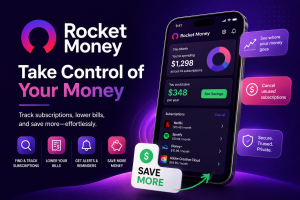
Rocket Money (formerly Truebill) is one of the most well-known subscription trackers, and for good reason — it scans your linked bank and card accounts, identifies recurring charges, and will even negotiate lower bills on your behalf for some services for a fee.
Best for: Anyone who wants a full financial overview, not just subscriptions, since it also covers budgeting and bill negotiation Watch out for: The bill negotiation feature takes a percentage of savings, so read the fee structure carefully before opting in
I’ve written a full standalone review of Rocket Money if you want the deeper breakdown of its pricing and features.
2. Gravity
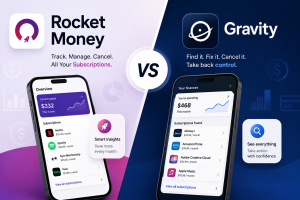
Gravity takes a fundamentally different approach from bank-linked trackers like Rocket Money — it works entirely without connecting any financial accounts. Instead, you track subscriptions manually within the app, and it provides renewal and free-trial alerts plus verified, step-by-step cancellation guidance for each service you want to cancel.
Best for: Privacy-conscious users who don’t want to link bank or card accounts to a subscription tracker Watch out for: Since it doesn’t auto-detect charges from your accounts, you’re responsible for entering subscriptions yourself — it’s a manual tracker with guidance attached, not a fully automated one
3. PocketGuard
PocketGuard takes a slightly different angle — rather than focusing purely on subscriptions, it shows you what’s actually left to spend after bills, goals, and recurring charges are accounted for, which puts subscription costs in the context of your broader budget rather than as an isolated list.
Best for: Anyone who wants subscription tracking built into a broader budgeting view rather than a standalone tool Watch out for: The free tier is more limited than some competitors; the “In My Pocket” feature that makes this tool distinctive sits behind the paid tier
4. Your Bank’s Built-In Tools
Increasingly, this is worth checking before paying for a dedicated app at all — several major banks and card issuers now include recurring-charge detection directly in their apps, at no additional cost. It’s usually less polished than a dedicated subscription tracker, but if it covers the basics for free, it’s worth checking before paying for a separate service.
Best for: Anyone who wants basic subscription visibility without adding another subscription to track Watch out for: Coverage and accuracy vary significantly by bank — some catch everything, others miss less obvious recurring charges
Which Should You Actually Use?
Among subscription tracking apps, the right starting point for most people is checking whether your bank already offers this for free before paying for a dedicated app. If you want automated detection and are comfortable linking accounts, Rocket Money and PocketGuard are the strongest options. If you’d rather not link any financial accounts at all, Gravity is the clearest privacy-focused alternative, trading automation for control over what’s shared.
The Real Value: An Annual Subscription Audit
Beyond any specific app, the habit that actually saves money is doing a full audit at least once or twice a year — going through every recurring charge and asking honestly whether you’d sign up for it again today, knowing what you know now. This is exactly the exercise that led to several of the reviews on this site: auditing my own subscriptions and asking, article by article, whether each one still earned its place.
A tracking app makes the audit easier by surfacing everything in one place. It doesn’t replace the actual decision-making — that part’s still on you.
Frequently Asked Questions
Are subscription tracking apps safe to link to my bank account? Reputable subscription tracking apps use bank-level encryption and read-only access for tracking purposes, similar to other financial apps like budgeting tools. As with any financial app, check reviews and security practices before linking accounts.
Do I need a paid subscription tracker if I check my bank statement regularly? Not necessarily. If you’re already diligent about reviewing statements manually, a dedicated tracker may just be a convenience rather than a necessity. It becomes more valuable if you have many subscriptions and don’t already review them regularly.
Which subscription tracker doesn’t require linking my bank account? Gravity is built specifically around this — it tracks subscriptions through manual entry rather than automated bank detection, so no account linking is required.
How often should I audit my subscriptions? At least once or twice a year, or any time you notice your total monthly recurring costs creeping up without a clear sense of why.
Final Verdict
The best subscription tracking apps are really just whichever one gets you to actually look at your recurring charges regularly — free bank tools are a reasonable starting point, and dedicated apps like Rocket Money or PocketGuard add real value once you have enough subscriptions that manual tracking becomes tedious. If privacy is a bigger priority than automation, Gravity fills that gap well.
Beyond the tool itself, this whole site exists around a simple idea: the reviews here are meant to help you decide upfront whether something’s worth subscribing to, so you need fewer after-the-fact cancellations later. A tracker catches what slips through; a bit of research beforehand prevents needing to catch it at all.
My rating: 4/5 as a category — genuinely useful for visibility, but the real savings come from the audit habit, not the app itself